Multi-User Support - Built for Growing Grooming Salons
From solo groomer to multi-person salon without migrating. Per-user schedules, multi-groomer calendar, role-based access. GroomSome grows with the business.
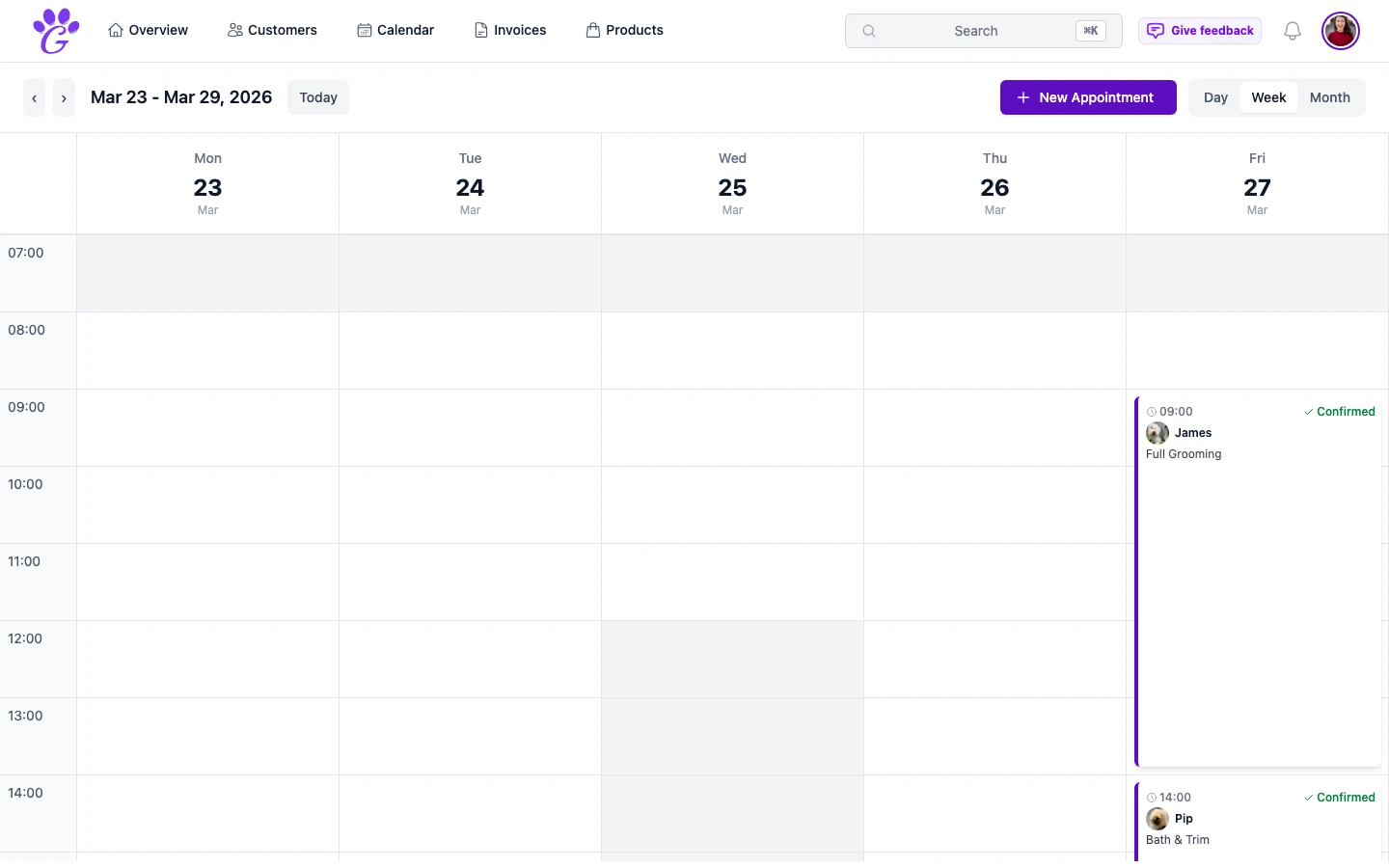
The jump from solo groomer to "there's two of us now" is where a lot of grooming software quietly breaks. Most tools are built for a single person, and when a second groomer joins, you end up with workarounds: shared logins, two calendars that don't talk, a spreadsheet off to the side. None of that holds up past a few weeks. You'll double-book, you'll lose track of who grooms whom, and you'll spend more time patching than grooming.
A grown-up multi-user system isn't a luxury, but it shouldn't make life harder for solo groomers either. The right balance is simple: a solo groomer uses the product as if it's theirs alone, and the moment a second person joins, the system grows to match, without migration and without learning a different product.
What is multi-user support in GroomSome?
Multi-user support is the ability to have several groomers, receptionists, or salon owners inside the same GroomSome account, each with their own login, schedule, and view, but sharing the same customers, pets, and revenue data. Everyone sees what they should, nothing they shouldn't.
You can see everyone's bookings at once, or filter the calendar to just your own. A receptionist can see the whole salon's schedule to take phone bookings; a groomer can focus on their own dogs. And every appointment carries who's grooming, so the dashboard, invoices, and revenue reports know exactly who did what.
Why multi-user support matters for growing salons
The moment two people book into the same calendar, the quality of the tool stops being a "nice to have" and starts protecting the business from real operational mess.
- One calendar for everyone. Every booking lands in the same calendar, instead of in two diaries that don't talk to each other.
- The groomer on every appointment. Each booking shows who's grooming, and a groomer filter narrows the calendar to one person; you can see the whole salon at a glance.
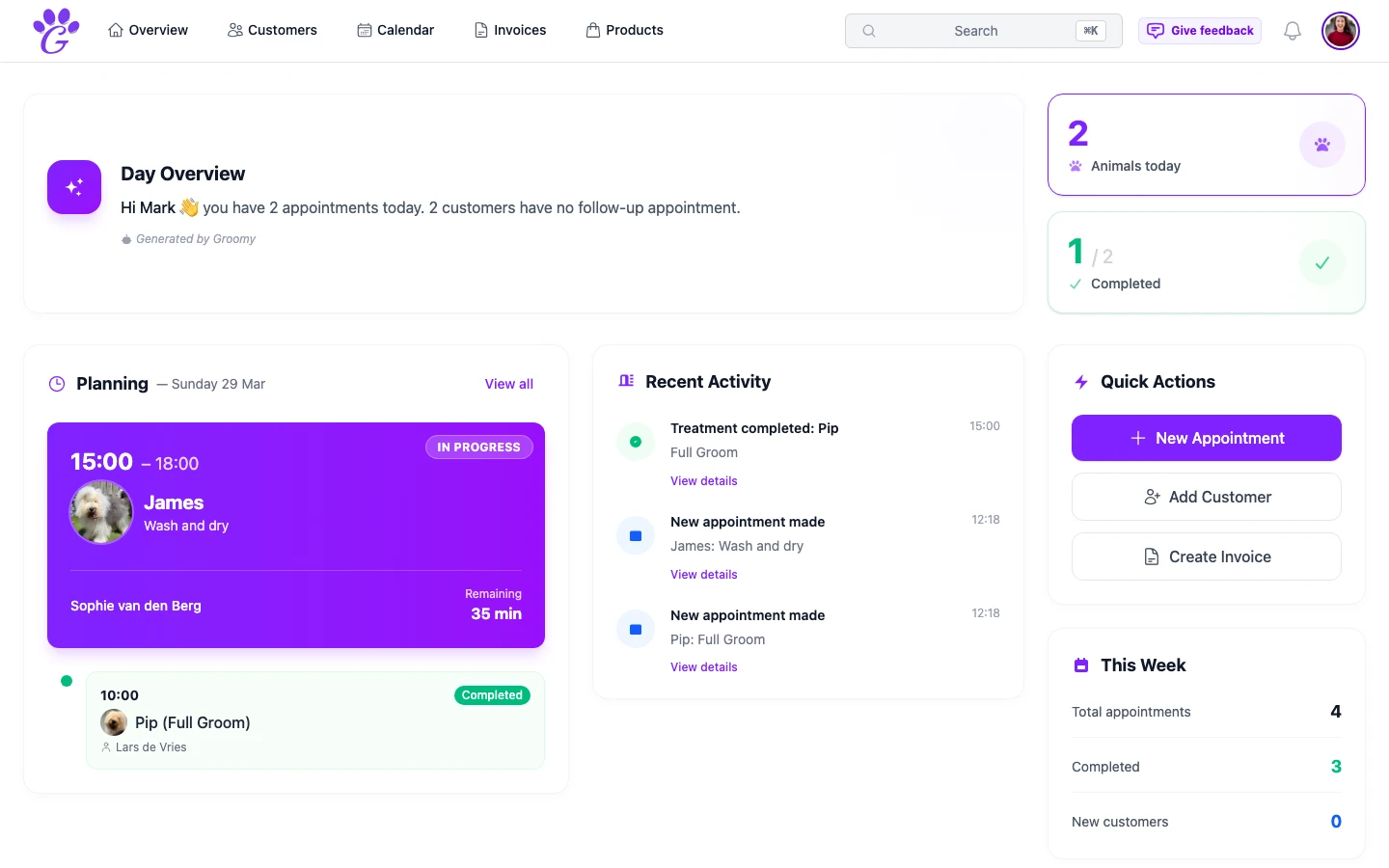
- Dashboard filter. "My appointments" vs "all appointments" is one click. Groomers focus on their day; the owner sees the whole floor.
- Revenue tracking per groomer. Who grooms which dogs is on record. Payroll, performance, and fairness conversations stop being guesswork.
- Safer records. No more sharing a single login: everyone signs in as themselves.
- Graceful onboarding for new staff. A new groomer gets their own account and schedule on day one. No copying over credentials, no "just use mine for now".
Key capabilities
- User management: add, edit, remove users without affecting anyone else's data.
- Role assignment: Admin, Groomer, Billing and Products, combinable per person. Each role sees what it should.
- Per-user schedules: each groomer has their own working hours; online booking respects them.
- Multi-groomer calendar view: one calendar with the groomer on every appointment and a filter per groomer.
- Dashboard filter: "my appointments" vs "all appointments" toggle.
- Invite team members by email: they set their own password and preferences.
- Language per user: each team member's interface language is their own preference.
- Shared clients, separated workloads: customers and pets are salon-wide, appointments are groomer-specific.
How to get started
If you already use GroomSome solo, going multi-user takes about fifteen minutes.
- Invite your first team member by email from Settings → Team, and assign them a seat (extra seats come with the Additional Users module).
- Assign their role (Admin, Groomer, Billing or Products) so the right access is applied automatically.
- Set their working hours. Each person's schedule can be different; online booking only offers the times they work.
- Decide on bookings. Some salons let any groomer take any dog; others assign each regular to one groomer. Both work.
- Review after a week. Calendar overlaps, double-bookings, and workload balance all become visible in the first week; that's when small tweaks pay the biggest dividends.
Multi-user support should feel invisible when it's working. Each groomer runs their day; the owner sees the whole salon; clients get a consistent experience regardless of who takes the booking. The jump from one person to two isn't a migration; it's just a second chair next to the first, with the rest of the system already built for it.